

Is Shopify Messaging right for your store?
Shopify Messaging combines various messaging channels for effective customer engagement, but costs may escalate with higher email volumes.
- Choose it if
- You need a unified platform for email, SMS, and WhatsApp marketing communications.
- Standout capability
- Comprehensive messaging across multiple channels enhances customer outreach.
- Consider another approach if
- Scaling beyond 10,000 emails could incur additional fees.
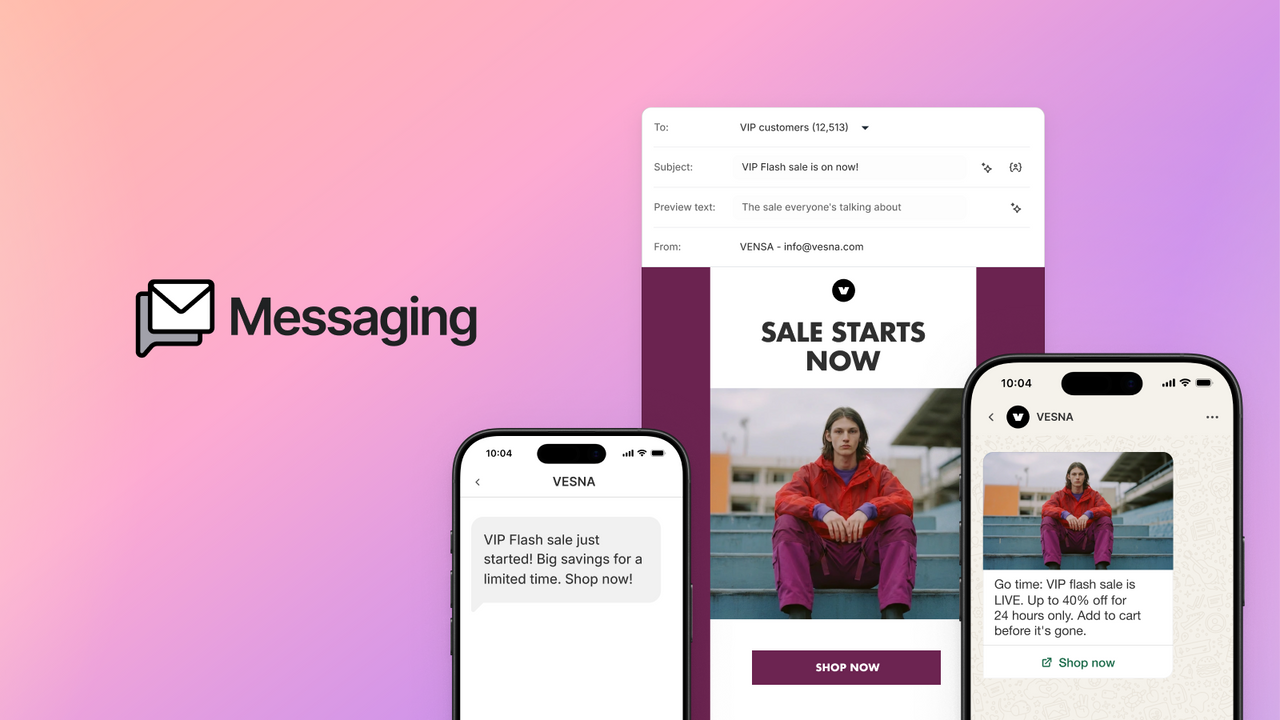
Shopify Messaging enables merchants to create, manage, and track personalized marketing campaigns across email, SMS, and WhatsApp from a single platform. Businesses can utilize ready-made templates or customize their own through Sidekick to ensure branding consistency. The app tracks performance metrics, allowing merchants to analyze customer engagement and preferences. It facilitates targeted communication to optimize marketing efforts through automation and segmentation, helping improve customer retention and drive sales efficiently.
Pros
- Comprehensive messaging across multiple channels enhances customer outreach.
- Personalization features increase engagement with tailored content.
- Performance tracking provides valuable insights into customer preferences.
- Flexibility in pricing scales with business needs, starting with a free tier.
Cons & limitations
- Additional charges apply after 10,000 emails, which may affect high-volume senders.
- Customization requires some technical knowledge for optimal use of Sidekick.
Features
- Create email, SMS, and WhatsApp campaigns
- Personalization with Sidekick
- Use ready-made templates
- Track campaign performance
- Automate marketing workflows
What you can do with Shopify Messaging
Campaign Creation
Easily create marketing campaigns using templates or custom designs tailored to brand identity.
Performance Tracking
Monitor campaign effectiveness with metrics such as click-through rates and conversion rates.
Customer Segmentation
Segment customer lists to target specific audiences for more personalized marketing.
Pricing & plan limits
- First 10,000 emails per month are free; charges apply thereafter.
- $1 per additional 1,000 emails.
Supported integrations
- Shopify Flow
- Shopify Admin
- Shopify Forms
Questions about Shopify Messaging
What channels can I use with Shopify Messaging?
You can use email, SMS, and WhatsApp to communicate with your customers.
Is there a cost to get started with Shopify Messaging?
The app is free to install, with costs only applied after the first 10,000 emails.
Can I automate my marketing messages?
Yes, the app allows for automation based on customer interactions.
Compare pricing plans
| Plan | Monthly | Annual | Limits & charges |
|---|---|---|---|
| Free | Free | Not documented | Monthly
|
Changes in our research
Differences between saved listing checks. A newly recorded detail can reflect better research rather than a product change.
Checked 1 Nov 2026
- Pricing summary
- Previously: Free to install; first 10,000 emails free, then $1/1000 emails.Now: Free to install; $1 per 1,000 emails after the first 10,000.
- Listed features
- Previously: Create email, SMS, and WhatsApp campaigns; Personalize campaigns with Sidekick; Use templates for campaigns; Track performance metrics; Segment customer listsNow: Create email, SMS, and WhatsApp campaigns; Personalization with Sidekick; Use ready-made templates; Track campaign performance; Automate marketing workflows
Checked 1 Nov 2026
- Pricing summary
- Previously: Free to install; first 10,000 emails/month free; then $1/1,000 emails/monthNow: Free to install; first 10,000 emails free, then $1/1000 emails.
- Listed features
- Previously: Create email, SMS, and WhatsApp campaigns; Use Sidekick for personalized emails; Send from ready-made templates; Segment audiences for targeting; Automate campaigns with triggers and rules; Track clicks and conversionsNow: Create email, SMS, and WhatsApp campaigns; Personalize campaigns with Sidekick; Use templates for campaigns; Track performance metrics; Segment customer lists