
Is Pop Convert right for your store?
Pop Convert effectively boosts customer engagement through tailored popups, but may require subscription costs for advanced features.
- Choose it if
- You need to capture customer data and recover abandoned carts.
- Standout capability
- Highly customizable forms and designs for branding
- Consider another approach if
- You have a limited budget and need more cost-effective solutions.
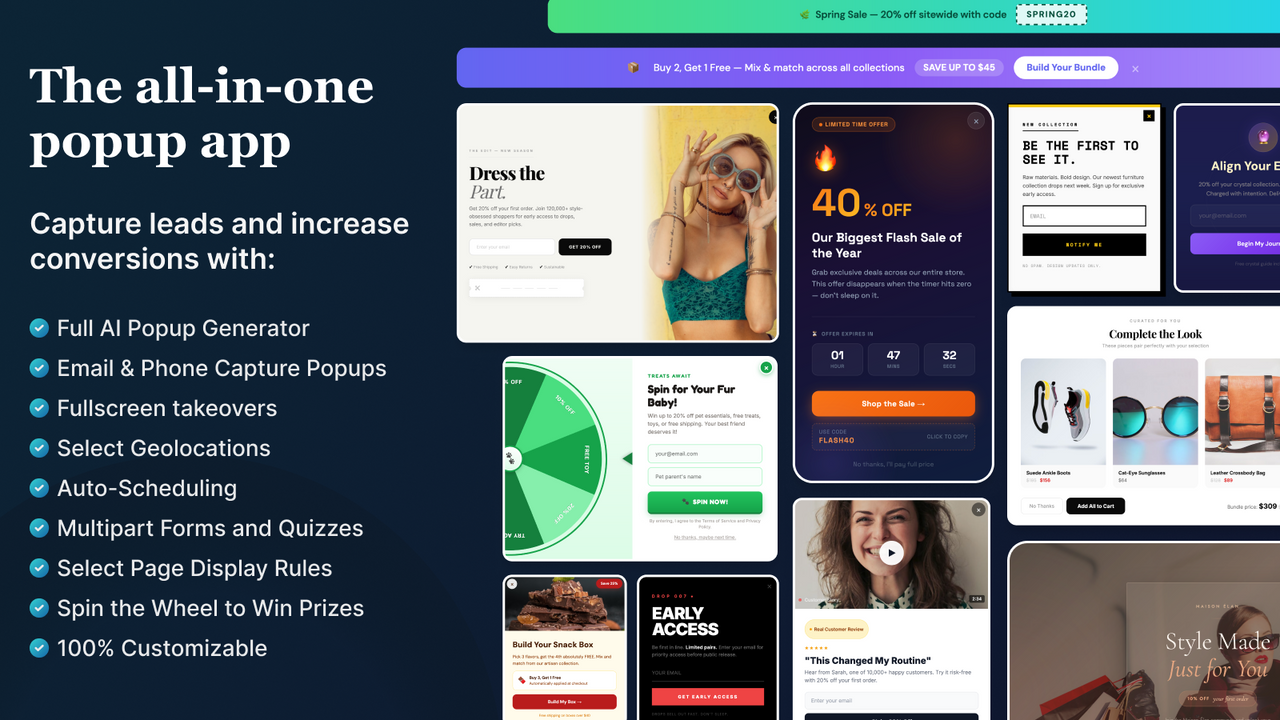
Pop Convert enhances customer engagement by transforming window-shoppers into loyal customers through the use of customizable popups, banners, and smart bars. Merchants can capture emails and phone numbers, promote storewide announcements, and recover abandoned carts. The platform's intuitive editor allows for easy design customization, requiring no coding skills. With a focus on performance, Pop Convert boasts quick loading times of less than 50 milliseconds, ensuring a seamless user experience. It supports various triggers, including exit intent and geolocation, enabling targeted campaigns that can significantly boost revenue.
Pros
- Highly customizable forms and designs for branding
- Multiple triggers to optimize engagement
- Supports multiple stores under one subscription
- Fast performance with no page speed impact
- Extensive template library for quick setup
Cons & limitations
- Paid plans may be a barrier for smaller merchants with tight budgets.
- Free plan limits subscriptions to 50 per month, restricting larger email lists.
Features
- Customizable popups and banners
- Email and phone capture forms
- Exit-intent and geolocation triggers
- A/B testing for campaign optimization
- Live chat support 24/7
What you can do with Pop Convert
Popup Customization
Design and implement various popups using customizable templates to solicit emails or present discounts.
Campaign Triggers
Set triggers like exit-intent or timed popups for increased interaction with visitors.
A/B Testing
Run simultaneous campaigns to compare performance and optimize for higher conversion rates.
Pricing & plan limits
- Live chat support available for all paid plans.
- All charges are billed in USD.
Setup & day-to-day use
- Sign up for an account on the Shopify App Store.
- Install the app and integrate with your store.
- Select a plan that fits your business needs and start creating campaigns.
Supported integrations
- Shopify Flow
Questions about Pop Convert
What is the free plan limit?
The free plan allows 1,000 visitors and 50 subscribers per month.
How quickly can I set up Pop Convert?
You can live in just 2 minutes, no coding required.
Can I use Pop Convert on multiple stores?
Yes, the subscription allows up to 5 stores.
Compare pricing plans
Trial: 90-day free trial
| Plan | Monthly | Annual | Limits & charges |
|---|---|---|---|
| Shopify Basic | USD 15 | Not documented | monthly
|
Changes in our research
Differences between saved listing checks. A newly recorded detail can reflect better research rather than a product change.
Checked 1 Nov 2026
- Pricing summary
- Previously: Free: $0; Shopify Basic: $15/month; Shopify Grow: $29/month; Shopify Advanced: $79/month; Shopify Plus stores: $129/month under Advanced; 90-day free trial on paid plansNow: Shopify Basic: $15/month, Shopify Grow: $29/month, Shopify Advanced: $79/month, Shopify Plus: $129/month
- Listed features
- Previously: Behavior-based popup triggers; Email and phone number capture; 250+ customizable templates; A/B test campaign versions; Store announcements and smart bars; Shopify Flow and Admin integrationNow: Customizable popups and banners; Email and phone capture forms; Exit-intent and geolocation triggers; A/B testing for campaign optimization; Live chat support 24/7
- Listed integrations
- Previously: Shopify Flow, Shopify AdminNow: Shopify Flow