

Is Shopify Forms right for your store?
Shopify Forms excels in collecting and managing leads through customizable forms, though its free status limits deeper features and integrations.
- Choose it if
- You need a straightforward way to collect customer data and leads directly from your storefront.
- Standout capability
- Easy integration of forms to capture leads directly from the store supports lead generation.
- Consider another approach if
- You require advanced features or integrations beyond what is supported in the free version.
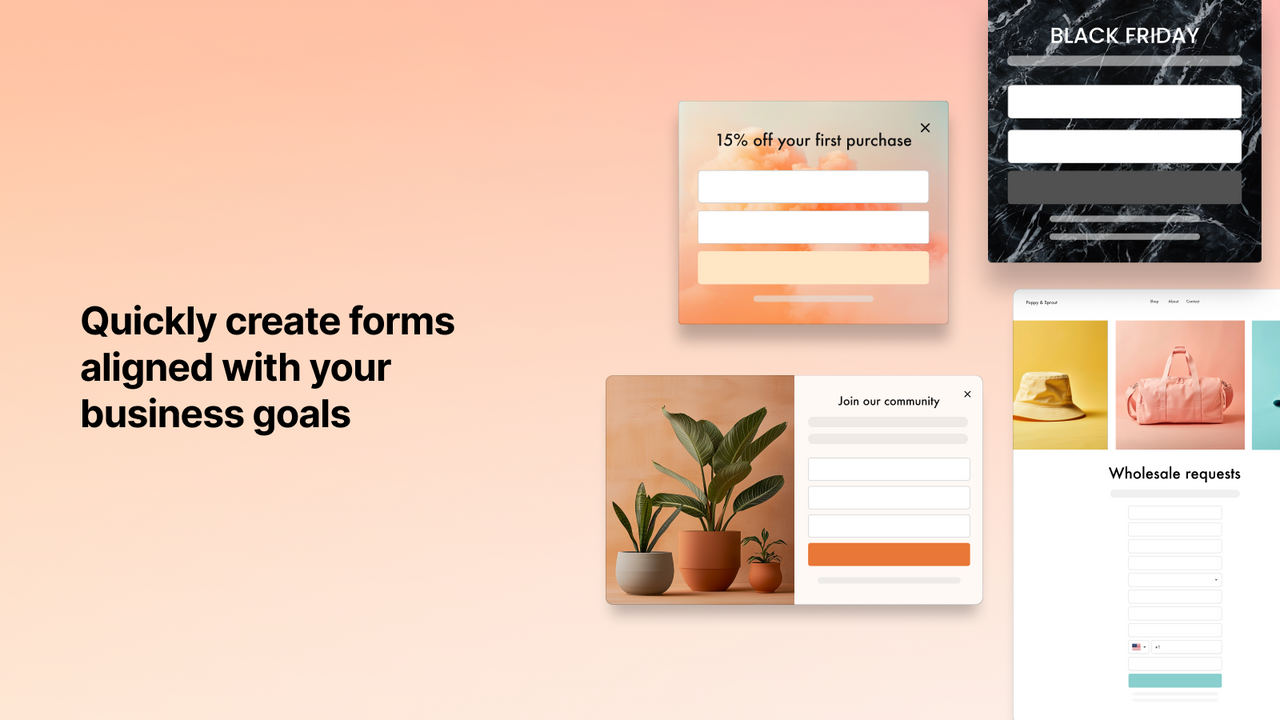
Shopify Forms is a customizable tool that empowers merchants to create both inline and pop-up forms to capture leads directly from their store. By incorporating forms for wholesale leads and subscriber sign-ups, businesses can efficiently collect essential information from visitors. The app allows for personalized engagement through customer profile building, supported by data analysis to optimize performance. Furthermore, merchants can align the appearance of forms with their store’s branding, incentivizing submissions with discounts and accommodating multiple languages for localized audiences. This enhances conversion rates and customer interactions within the Shopify platform.
Pros
- Easy integration of forms to capture leads directly from the store supports lead generation.
- Customization options allow businesses to enhance brand alignment, improving engagement.
- Multi-language translation broadens accessibility for diverse customer bases.
- Performance metrics help merchants analyze and optimize form effectiveness.
- Ability to incentivize form submission with discounts increases participation.
Cons & limitations
- Limited to basic features within the free plan, which may not suit users needing advanced functionality.
- No SMS capture functionality, potentially missing out on that channel for customer engagement.
Features
- Inline and pop-up forms
- Customizable design with brand elements
- Multi-language support
- Segmentation and tagging
- Performance analytics
What you can do with Shopify Forms
Lead Generation
Create custom forms to capture leads directly from visitors, turning them into potential customers.
Customer Engagement
Utilize form data to personalize customer interactions and improve engagement.
Performance Analysis
Analyze form submissions to refine strategies and improve conversion rates.
Pricing & plan limits
- All features included in the free plan, with no hidden charges.
Setup & day-to-day use
- Install the app from the Shopify App Store.
- Add forms to your online store through the Shopify admin interface.
- Configure form settings and customize designs to match your brand.
Supported integrations
- Works seamlessly with Shopify Admin
- Compatible with Shopify Email
Questions about Shopify Forms
What types of forms can I create?
You can create inline forms and pop-up forms for various purposes such as lead capture and subscriptions.
Can I customize my forms?
Yes, forms can be customized with images, texts, discounts, and more to reflect your store's branding.
Is there a limit to how many forms I can create?
No, you can create as many forms as needed within the free plan.
Compare pricing plans
| Plan | Monthly | Annual | Limits & charges |
|---|---|---|---|
| Free Plan | Free | Not documented | Monthly
|
Changes in our research
Differences between saved listing checks. A newly recorded detail can reflect better research rather than a product change.
Checked 1 Nov 2026
- Listed features
- Previously: Inline and pop-up storefront forms; Capture email, SMS, and WhatsApp consent; Store submission data in Shopify; Show discount after submission; Redirect visitors after submit; Translate forms in-app; Custom colors, images, discounts, triggers, and metafieldsNow: Inline and pop-up forms; Customizable design with brand elements; Multi-language support; Segmentation and tagging; Performance analytics
- Listed integrations
- Previously: Shopify Admin, Shopify Email, Shopify FlowNow: Works seamlessly with Shopify Admin, Compatible with Shopify Email