

Is PML Stock Take Inventory Count right for your store?
PML Stock Take provides robust features to optimize inventory management but requires a subscription based on the number of locations.
- Choose it if
- You need to manageStock efficiently across multiple retail sites.
- Standout capability
- Efficiently manage inventory across multiple locations without scan limits.
- Consider another approach if
- You are on a tight budget with limited locations requiring management.
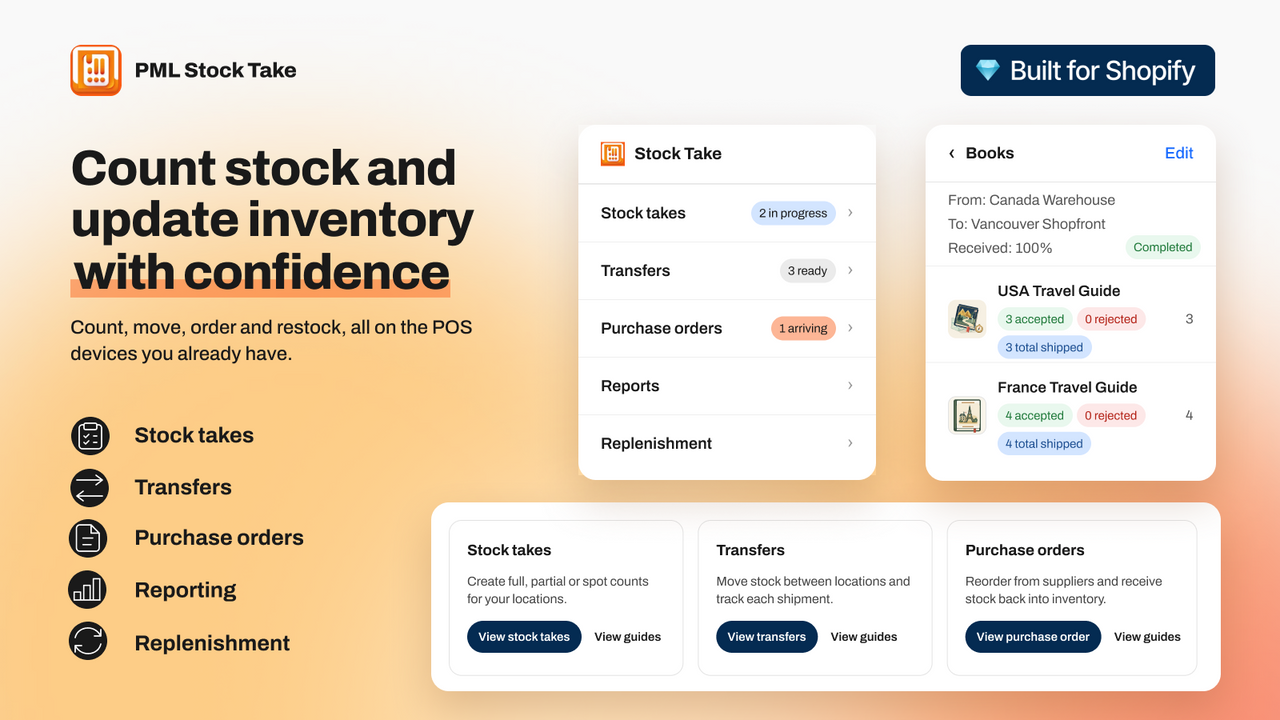
PML Stock Take Inventory Count is designed to simplify retail operations through efficient inventory management, stock taking, and barcode scanning integrated with Shopify POS. Users can conduct stock takes across multiple locations simultaneously without scan limits, facilitating a seamless experience. The app allows merchants to manage purchase orders, transfers, and cycle counts while setting minimum and maximum replenishment limits to automate restocking processes. With flexible stock take options, edits can be made anytime, and users can choose to handle unscanned items strategically. The tool suits various retail scales, enhancing operational efficiency with its straightforward integration with existing Shopify devices.
Pros
- Efficiently manage inventory across multiple locations without scan limits.
- Automates purchase orders and transfers, streamlining stock management.
- Facilitates bulk stock takes with simultaneous scanning on existing devices.
- Offers easy access to reporting and analytics for stock management.
Cons & limitations
- Monthly subscription fees can add up, particularly for retailers with multiple locations.
- Limited support for integration beyond Shopify, which may affect larger retailers.
- Setup may require familiarization for those not used to inventory management software.
Features
- Inventory management
- Barcode scanning
- Manage purchase orders
- Simultaneous multi-device scanning
- Flexible stock takes
- Automate ordering
What you can do with PML Stock Take Inventory Count
Conduct Stock Takes
Perform stock takes using barcodes or manually enter products. Edit and manage how unscanned items are treated during stock takes.
Manage Purchase Orders
Create and track purchase orders directly within the app, automating restocks based on set limits.
Transfer Stock Between Locations
Effortlessly conduct transfers of stock between different retail locations, ensuring inventory accuracy.
Pricing & plan limits
- 30-day free trial available for all plans.
- Recurring charges apply based on selected plan every 30 days.
Setup & day-to-day use
- Install the app via Shopify App Store.
- Connect existing Shopify POS devices for streamlined usage.
- Configure settings for inventory management preferences.
Supported integrations
- Shopify POS
- Shopify Flow
- Shopify Admin
Questions about PML Stock Take Inventory Count
What devices can I use with this app?
You can use any existing Shopify POS devices without additional hardware.
Are there limits to how many stock takes I can perform?
No, there is no maximum limit on stock takes.
Can I manage stock transfers between locations?
Yes, the app supports stock transfers across multiple locations.
What support is available for subscribers?
All plans include purchase orders and transfers support.
What happens to unscanned items during stock takes?
You can choose to add, remove, or overwrite stock for unscanned items.
Compare pricing plans
Trial: 30-day free trial
| Plan | Monthly | Annual | Limits & charges |
|---|---|---|---|
| Basic | USD 10.79 | Not documented | Monthly
|
| Growth | USD 21.79 | Not documented | Monthly
|
| Complete | USD 37.79 | Not documented | Monthly
|
Changes in our research
Differences between saved listing checks. A newly recorded detail can reflect better research rather than a product change.
Checked 2 Nov 2026
- Listed features
- Previously: Barcode scanning for inventory; Manage purchase orders; Stock replenishment automation; Multi-location support; Audit and export stock dataNow: Inventory management; Barcode scanning; Manage purchase orders; Simultaneous multi-device scanning; Flexible stock takes; Automate ordering
- Listed integrations
- Previously: Shopify Admin, Shopify POSNow: Shopify POS, Shopify Flow, Shopify Admin
Checked 1 Nov 2026
- Pricing summary
- Previously: From $10.79/month; Check current listingNow: Basic $10.79/month, Growth $21.79/month, Complete $37.79/month
- Listed features
- Previously: Single-location Basic plan; Up to 3 locations on Growth; Up to 15 locations on Complete; Unlimited users; Unlimited stock takes; Use existing devices; Simultaneous multi-device scanning; Purchase orders and transfers; Support included; Founder email support on Complete; 30-day free trial on paid plans; Scan barcodes or enter products manually; Audit and export stock takes, transfers, and purchase orders; Choose how unscanned items are handled; No POS Pro subscription required; No maximum scan limit for stock takes; Inventory tracking; Auto-restock; Barcodes; SKUs; Stock replenishment; Stock transfer; Import/export; Scanners; Inventory planning; Workflow automation; Restock notifications; Replenishment reminders; Low stock alerts; Threshold alerts; Custom reports; Email notifications; Analytics; Barcode scanning; Inventory levels; Manual updates; Cost reporting; Task assignmentNow: Barcode scanning for inventory; Manage purchase orders; Stock replenishment automation; Multi-location support; Audit and export stock data