Is Shopify Counter right for your store?
Shopify Counter is helpful for displaying sales metrics but offers limited advanced features.
- Choose it if
- You want to highlight sales achievements clearly.
- Standout capability
- Real-time data display enhances customer engagement.
- Consider another approach if
- You require extensive analytics capabilities.
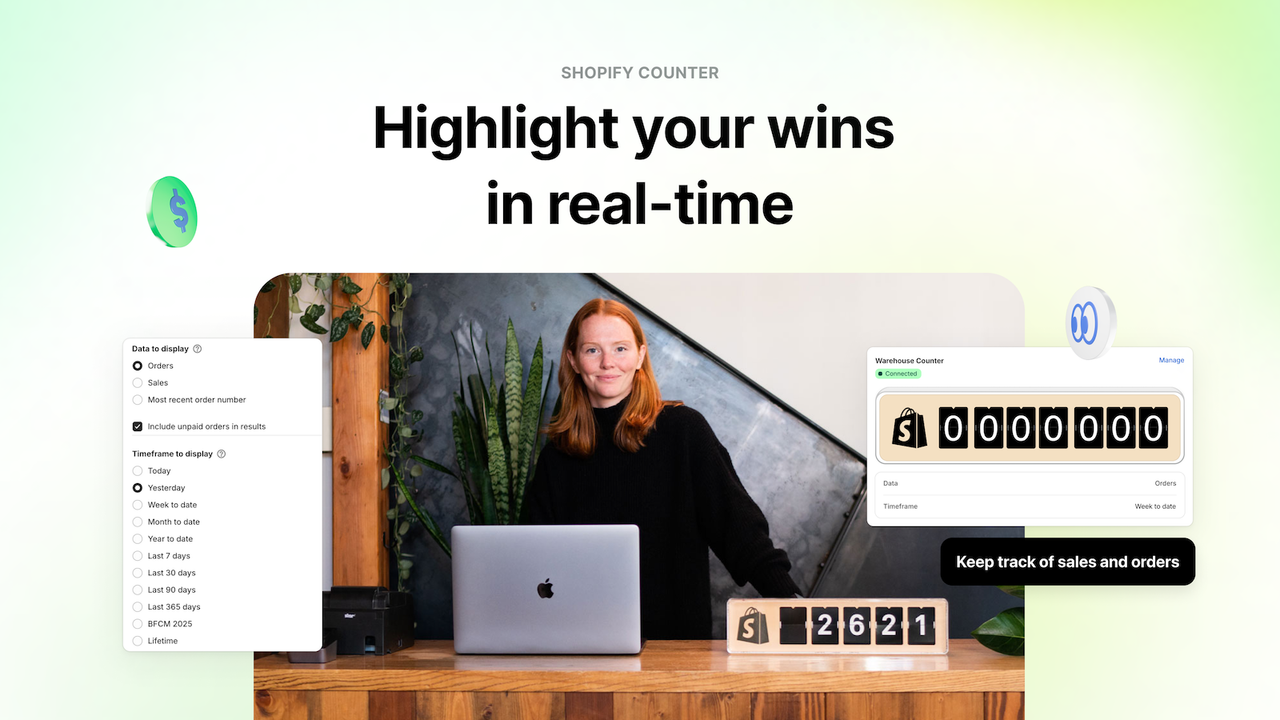
Shopify Counter is designed to help you celebrate significant business milestones by showcasing your sales and order data prominently. After installing the app, you connect it to your Shopify store and can highlight important metrics daily or for special events. It provides real-time updates to ensure your displayed figures reflect the latest business achievements. This app is ideal for merchants who want to increase visibility for their sales numbers and promote engagement through transparent tracking of performance.
Pros
- Real-time data display enhances customer engagement.
- Simplifies tracking sales milestones for events.
- Custom notifications keep staff informed.
Cons & limitations
- Limited to displaying sales and order metrics without advanced analytics features.
Features
- Real-time sales tracking
- Custom notifications
- Analytics reports
- Visibility for customer orders
What you can do with Shopify Counter
Connecting to Shopify Store
Install the app and link it to your Shopify store to start tracking metrics.
Displaying Key Metrics
Showcase sales numbers and order volume prominently to enhance visibility.
Setting Up Notifications
Configure alerts for sales events to keep team members updated.
Setup & day-to-day use
- Install the Shopify Counter app from the Shopify App Store.
- Connect your store to the app to access data.
Supported integrations
- Shopify Admin
Questions about Shopify Counter
What data does Shopify Counter access?
It accesses customer data, order history, and store analytics.
How often is the data updated?
The data is updated in real-time to reflect the latest sales and orders.
Can I customize notifications?
Yes, you can set up custom notifications for specific sales events.
Is there a limit to the order history displayed?
Yes, it can show order history for the last 60 days.
What is required to use Shopify Counter?
You need to have a Shopify store to install and use the app.
Compare pricing plans
| Plan | Monthly | Annual | Limits & charges |
|---|---|---|---|
| Free Plan | Free | Not documented | monthly
|
Changes in our research
Differences between saved listing checks. A newly recorded detail can reflect better research rather than a product change.
Checked 1 Nov 2026
- Listed features
- Previously: Connects store data to Shopify Counter; Highlights sales and orders prominently; Supports major-event counter displays; Shows analytics on a Counter device; Sends custom notifications; Uses recent order history for displayNow: Real-time sales tracking; Custom notifications; Analytics reports; Visibility for customer orders