

Is Stape Conversion Tracking right for your store?
Stape Conversion Tracking simplifies GTM integration and boosts conversion rates, but requires initial setup effort.
- Choose it if
- You need a straightforward solution for server-side tracking without technical challenges.
- Standout capability
- Eliminates technical barriers for GTM setup, enabling easier installation for merchants.
- Consider another approach if
- You prefer a more hands-on approach to tag management without relying on automated setups.
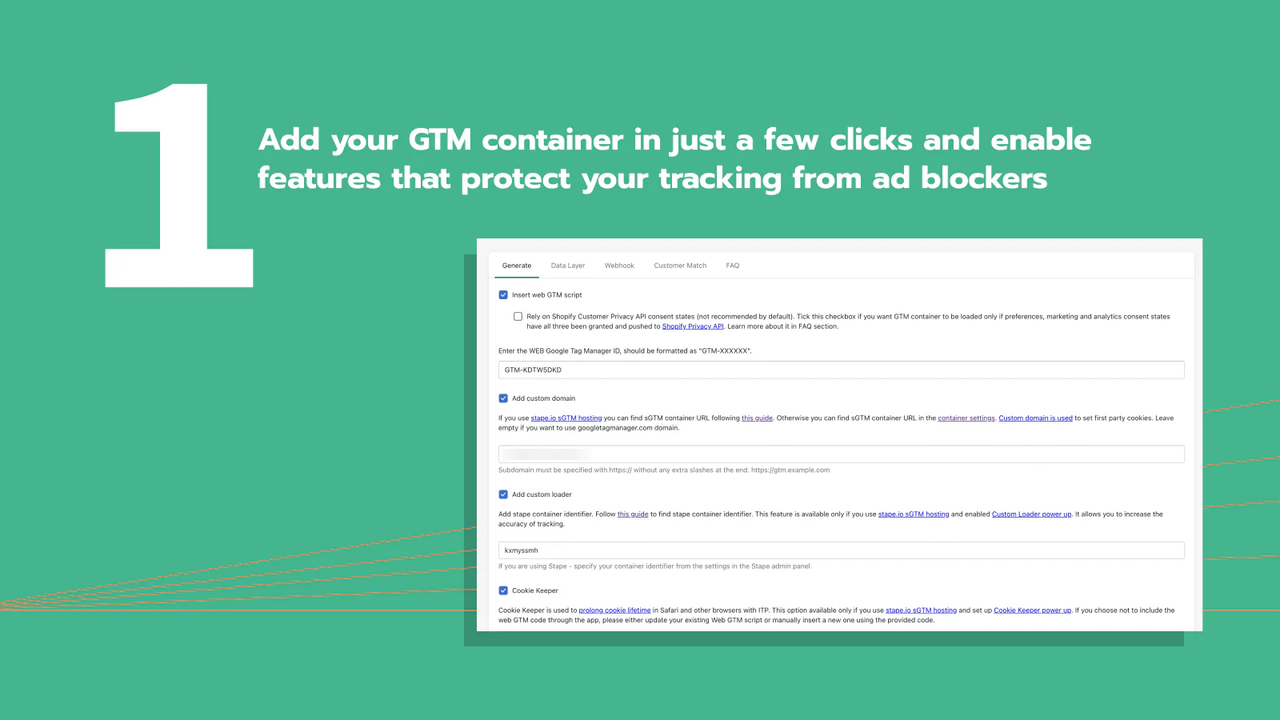
Stape Conversion Tracking simplifies the integration of Google Tag Manager (GTM) with server-side tracking for e-commerce stores. By eliminating technical barriers, it allows for a seamless installation of GTM while automatically generating essential e-commerce events for effective conversion tracking. With this app, merchants can recover more conversions, enhance return on ad spend (ROAS), and acquire reliable attribution using accurate, privacy-compliant data. Its core functions include sending purchase and refund webhooks and extending cookies to bypass ad blockers, ensuring high precision in tracking.
Pros
- Eliminates technical barriers for GTM setup, enabling easier installation for merchants.
- Automatically generates major e-commerce events for enhanced tracking, increasing conversion visibility.
- Extends cookies to bypass ad blockers, leading to more accurate and reliable data collection.
- Improves return on ad spend (ROAS) by recovering more conversions through advanced tracking features.
Cons & limitations
- Requires initial setup effort, which may challenge some users new to GTM integration.
Features
- Native app for server-side GTM setup
- One-click GTM container injection
- Automatic creation of Data Layer events
- Send webhooks for purchases and refunds
- Extend cookies for accurate tracking
What you can do with Stape Conversion Tracking
E-commerce Event Tracking
Automatically captures key e-commerce events like purchases and refunds, sending them to the server-side GTM for accurate tracking.
Bypass Ad Blockers
Extends cookies to ensure accurate tracking of user events, even when users have ad blockers enabled.
Pricing & plan limits
- Free plan available with basic features for e-commerce tracking.
Setup & day-to-day use
- Install the Stape app from the Shopify store.
- Follow in-app instructions for GTM container setup.
Supported integrations
- Google Tag Manager
Questions about Stape Conversion Tracking
What data does Stape Conversion Tracking access?
It accesses sensitive customer data, device information, and store analytics to function effectively.
Do I need technical knowledge to use Stape?
No, Stape is designed to eliminate technical barriers for easy setup.
How does Stape improve conversion rates?
It automates the tracking of significant e-commerce events, allowing merchants to gather accurate data and optimize their strategies.
Compare pricing plans
| Plan | Monthly | Annual | Limits & charges |
|---|---|---|---|
| Free Plan | Free | Not documented | monthly
|
Changes in our research
Differences between saved listing checks. A newly recorded detail can reflect better research rather than a product change.
Checked 1 Nov 2026
- Listed features
- Previously: One-click GTM container injection; Automatic ecommerce data layer events; Purchase and refund webhook forwarding; Server-side Google Tag Manager setup; Cookie extension for tracking continuity; Ad-blocker resistance claimsNow: Native app for server-side GTM setup; One-click GTM container injection; Automatic creation of Data Layer events; Send webhooks for purchases and refunds; Extend cookies for accurate tracking
- Listed integrations
- Previously: Checkout, Shopify Admin, Google Tag Manager, StapeNow: Google Tag Manager