

Is Power Tools Filter Menu right for your store?
Power Tools Filter Menu effectively boosts sales through enhanced navigation but requires an ongoing monthly fee.
- Choose it if
- You're looking to simplify your store's navigation to improve sales.
- Standout capability
- Facilitates enhanced customer navigation, boosting sales directly.
- Consider another approach if
- You need a feature-rich solution without ongoing costs.
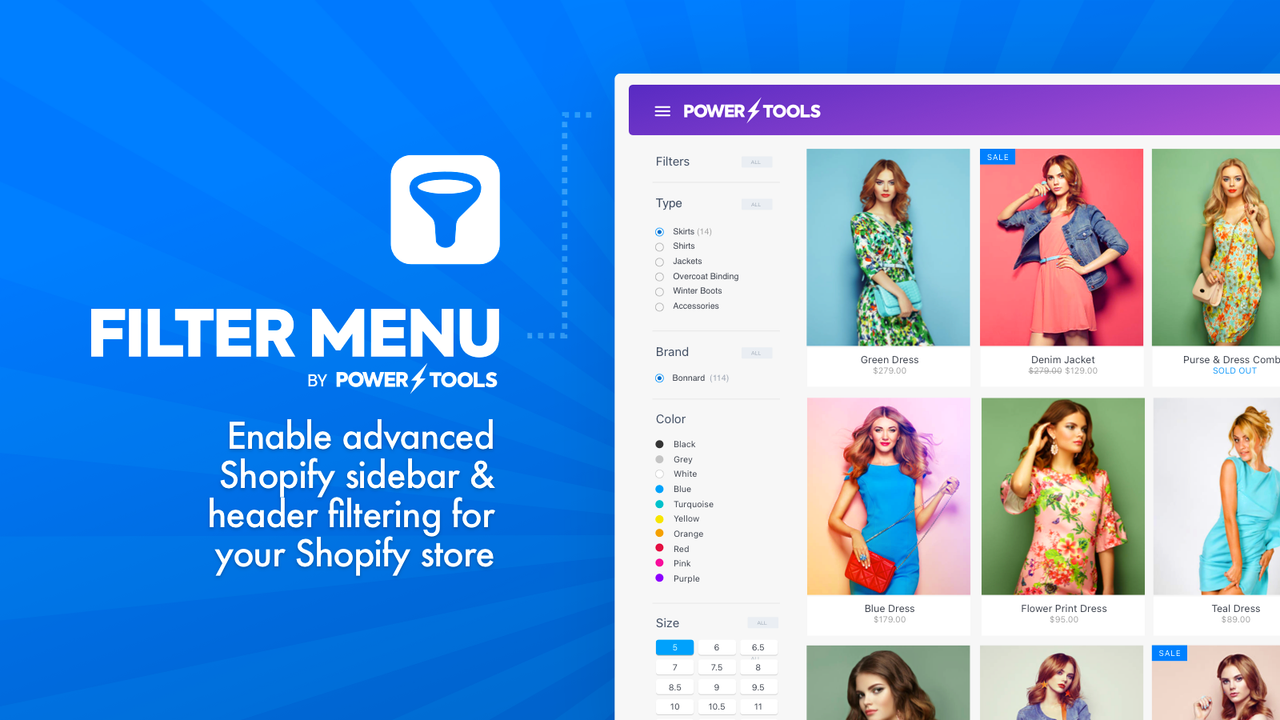
Power Tools Filter Menu enhances the shopping experience by enabling merchants to create advanced product filtering systems. This app allows store owners to customize filters based on brand, type, tag, collection, variant, and price. By simplifying navigation, it aims to boost sales and enhance customer satisfaction, addressing the need for swift and easy shopping. This tool integrates seamlessly with Shopify and requires minimal setup, making it suitable for a variety of store designs.
Pros
- Facilitates enhanced customer navigation, boosting sales directly.
- Offers customizable filter options tailored to specific product needs.
- Seamlessly integrates with any Shopify theme for quick setup.
- Mobile responsiveness ensures usability on various devices.
Cons & limitations
- Requires a $15.99 monthly subscription, which may limit budget-conscious merchants.
- Limited to Shopify stores and does not integrate with other platforms.
Features
- Advanced product filtering
- Customizable filter menus
- Easy drag-and-drop setup
- Mobile responsive design
- SEO-friendly features
What you can do with Power Tools Filter Menu
Creating Product Filters
Merchants can create and customize product filters based on various attributes like price, brand, and type directly in the Shopify admin.
Integrating with Shopify Themes
The app offers simple integration with any Shopify theme, allowing merchants to set up filters without extensive technical knowledge.
Analytics Tracking
Merchants can track filter usage to assess customer behavior and optimize product visibility.
Setup & day-to-day use
- Install the app through the Shopify admin panel.
- Follow prompts to configure filters based on product attributes.
- Customize layouts and styles using the drag-and-drop editor.
Supported integrations
- Shopify Admin
Questions about Power Tools Filter Menu
What types of products can I filter?
You can filter products by brand, type, tag, collection, variant, and price.
How do I integrate the app with my theme?
The app seamlessly integrates with any Shopify theme and requires minimal technical setup.
Is there a trial period for this app?
Yes, a 14-day free trial is available for new users.
Can I customize the filter display?
Yes, you can customize the filter display with colors, fonts, and styles to match your store.
What are the recurring charges?
The app costs $15.99 per month, billed every 30 days.
Compare pricing plans
Trial: 14-day free trial
| Plan | Monthly | Annual | Limits & charges |
|---|---|---|---|
| Filter Menu | USD 15.99 | Not documented | Recurring every 30 days |
Changes in our research
Differences between saved listing checks. A newly recorded detail can reflect better research rather than a product change.
Checked 1 Nov 2026
- Pricing summary
- Previously: Filter Menu $15.99 / month; 14-day free trialNow: Filter Menu $15.99 / month, 14-day free trial
- Listed features
- Previously: Advanced product filtering; Drag-and-drop editor; Customizable filter styles; Mobile responsive design; SEO-friendly settingsNow: Advanced product filtering; Customizable filter menus; Easy drag-and-drop setup; Mobile responsive design; SEO-friendly features
- Listed integrations
- Previously: Not previously recordedNow: Shopify Admin