

Is Parkour Pixel right for your store?
Parkour Pixel excels in providing advanced tracking and analytics for Facebook ads but requires careful management of pixel settings to get optimal results.
- Choose it if
- You need efficient multi-pixel management for Facebook campaigns.
- Standout capability
- Enables precise event tracking across platforms, enhancing campaign optimization.
- Consider another approach if
- You're looking for extensive integrations beyond Facebook or have complex data privacy requirements.
Parkour Pixel is designed to enhance Facebook ad performance by accurately capturing data across multiple platforms, including Facebook and Instagram. It integrates seamlessly with the Advanced Conversion API, allowing users to track every interaction effectively. The app offers a user-friendly dashboard for managing multiple pixels, facilitating event tracking, real-time UTM tracking, and optimized conversion attribution. Setup is quick and straightforward, requiring no coding knowledge, making it accessible for various merchants aiming to improve their return on ad spend (ROAS). The system's advanced tracking capabilities help adapt to changes in pixel tracking technology, particularly after iOS 14 updates, ensuring accurate measurement of advertising effectiveness and user engagement.
Pros
- Enables precise event tracking across platforms, enhancing campaign optimization.
- User-friendly interface simplifies managing multiple pixels.
- Quick 2-minute setup with no coding needed, making it accessible for all merchants.
- Real-time analytics support data-driven decision-making for better ad performance.
Cons & limitations
- The free plan has limited features which may not support advanced tracking needs for larger businesses.
- Integration is primarily focused on Facebook, limiting options for broader marketing tools.
- Setup may require understanding pixel management for optimal performance.
Features
- Advanced server-side tracking
- Manage multiple pixels
- Real-time UTM tracking
- Maximize ROAS
- Accurate event attribution
What you can do with Parkour Pixel
Setup and Integration
Easily integrate Parkour Pixel with your Shopify store in just 2 minutes. The app provides a comprehensive step-by-step guide that eliminates the need for coding.
Multi-Pixel Management
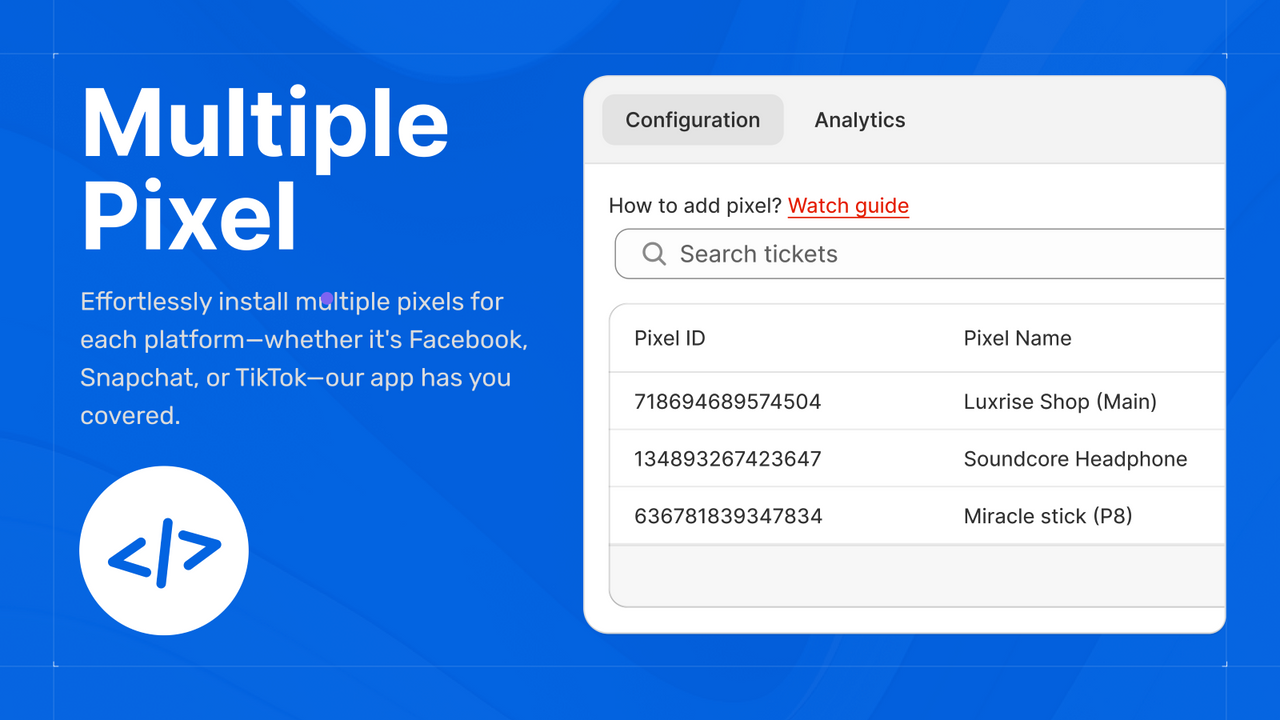
Manage multiple Facebook pixels through a single dashboard, allowing for comprehensive tracking and insights across various ad campaigns.
Real-Time Data Tracking
Utilize real-time UTM tracking to make immediate data-driven decisions that enhance ad performance and customer engagement.
Pricing & plan limits
- The app provides a free plan with basic features only.
Setup & day-to-day use
- Sign up for a Parkour Pixel account.
- Follow the step-by-step setup guide provided within the app to connect to your Facebook account.
- Configure your pixel settings as per your campaign needs.
Supported integrations
- Meta Pixel
Questions about Parkour Pixel
How quickly can I set up Parkour Pixel?
Setup takes just 2 minutes with a step-by-step guide.
Can I manage multiple pixels?
Yes, Parkour Pixel allows you to manage multiple Facebook pixels from a single dashboard.
How does Parkour Pixel improve ad performance?
It provides accurate event tracking and data-driven insights to optimize campaigns for better ROAS.
Compare pricing plans
| Plan | Monthly | Annual | Limits & charges |
|---|---|---|---|
| Free Plan | Free | Not documented | Free
|
Changes in our research
Differences between saved listing checks. A newly recorded detail can reflect better research rather than a product change.
Checked 1 Nov 2026
- Listed features
- Previously: Meta Pixel and Conversion API event tracking; Multi-pixel dashboard management; Real-time UTM tracking; Checkout and Shopify Admin connection; Event, conversion, and attribution reporting; Facebook and Meta feed/pixel supportNow: Advanced server-side tracking; Manage multiple pixels; Real-time UTM tracking; Maximize ROAS; Accurate event attribution
- Listed integrations
- Previously: Checkout, Shopify Admin, Facebook, Facebook Dataset, Facebook Feed, Facebook Pixel, Meta Pixel, Multi PixelsNow: Facebook, Meta Pixel