

Is Nabu Image Optimizer right for your store?
Nabu Image Optimizer offers excellent automated image compression but is limited to image-related tasks.
- Choose it if
- You need automated tools for managing and optimizing store images.
- Standout capability
- Automates image optimization across various categories, saving time for merchants.
- Consider another approach if
- You require features beyond image compression and reporting.
Nabu Image Optimizer is designed to enhance website performance by automating the process of image compression across products, collections, and blog entries. It supports lossless image compression, ensuring that visual quality is maintained while significantly reducing file sizes. Users can configure the compression levels to low, medium, or high, allowing for tailored optimization based on specific needs. The app also provides a backup feature to restore original images if required. Furthermore, it generates detailed reports on compression metrics, giving insights into total images processed and space saved.
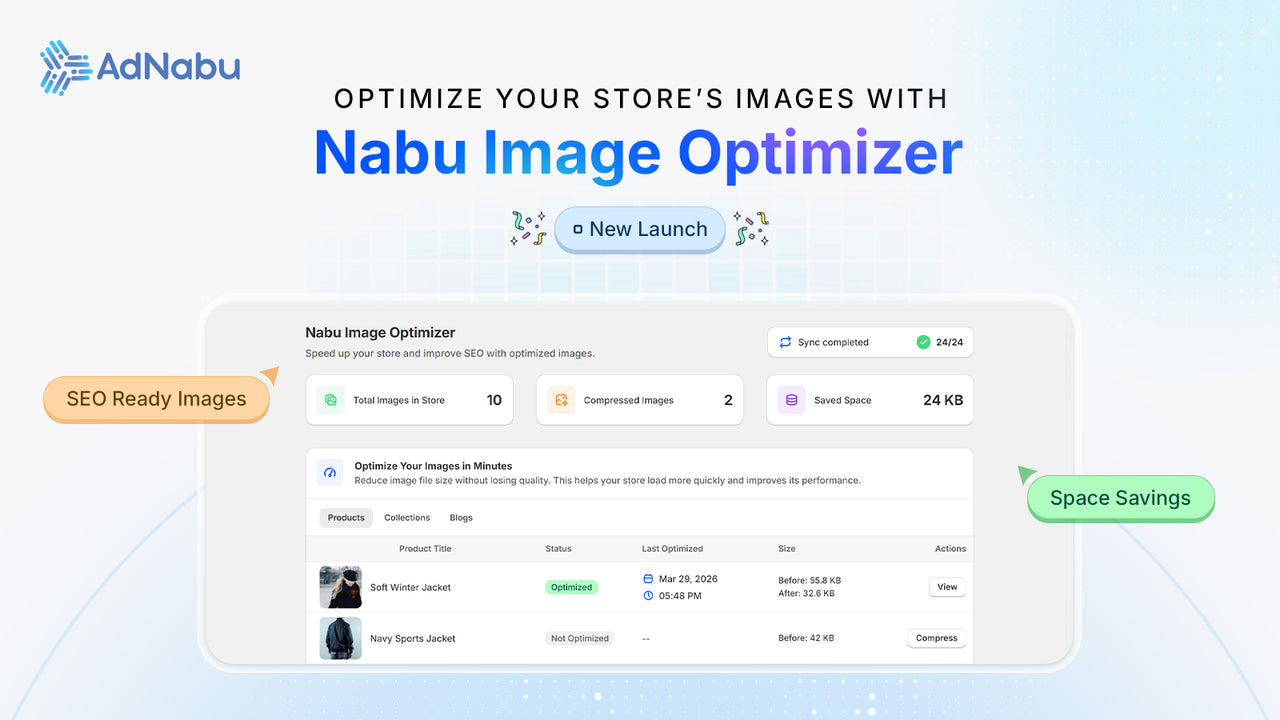
Pros
- Automates image optimization across various categories, saving time for merchants.
- Maintains original image quality through lossless compression, ensuring visual appeal.
- Provides robust reporting on compression results, aiding in performance analysis.
Cons & limitations
No specific limitations were established in the checked evidence. This does not mean the app has no drawbacks.
Features
- Bulk image compression for all images
- Lossless image quality retention
- Automatic background image optimization
- One-click image restore
- Selective compression by image type
What you can do with Nabu Image Optimizer
Bulk Image Compression
Compresses all images in one click, streamlining the optimization process for products, collections, and blogs.
Automatic Image Optimization
Background optimization of new and existing images ensures your store maintains performance without manual updates.
Image Compression Reporting
Generates detailed reports showing the number of images processed and space saved, aiding performance tracking.
Setup & day-to-day use
- Install the app via the Shopify App Store.
- Authorize app access to your store's images and data.
Supported integrations
- Shopify
Questions about Nabu Image Optimizer
What types of images can be compressed?
You can compress product images, collection images, and blog images.
Can I restore original images after compression?
Yes, the app allows you to restore any original image with one click.
Is there a limit on the number of images I can compress?
The free plan provides unlimited image compression without any restrictions.
Does the app handle automatic optimization of new images?
Yes, new images are optimized automatically in the background.
What image compression levels are available?
Users can select from low, medium, or high compression levels.
Compare pricing plans
| Plan | Monthly | Annual | Limits & charges |
|---|---|---|---|
| Free Plan | Free | Not documented | monthly |
Changes in our research
Differences between saved listing checks. A newly recorded detail can reflect better research rather than a product change.
Checked 4 Nov 2026
- Listed features
- Previously: Bulk image compression; Lossless image quality; Automatic background optimization; Backup of original images; Detailed compression reportingNow: Bulk image compression for all images; Lossless image quality retention; Automatic background image optimization; One-click image restore; Selective compression by image type
- Listed integrations
- Previously: Shopify AdminNow: Shopify
Checked 1 Nov 2026
- Pricing summary
- Previously: freeNow: Free
- Listed features
- Previously: Bulk image compression; Lossless image optimization; Automatic image compression; Image restoration; Compression reportsNow: Bulk image compression; Lossless image quality; Automatic background optimization; Backup of original images; Detailed compression reporting
Checked 31 Oct 2026
- Pricing summary
- Previously: FreeNow: free
- Listed features
- Previously: Auto-sync and bulk-compress store images; Lossless compression for smaller files; Low, medium, or high compression levels; Built-in image resizing; WebP conversion; Supports PNG, JPEG, GIF, SVG, AVIF, HEIC, TIFF, and BMPNow: Bulk image compression; Lossless image optimization; Automatic image compression; Image restoration; Compression reports