

Is Moose WhatsApp Chat Button right for your store?
Moose WhatsApp Chat Button excels in enhancing customer interaction but relies heavily on WhatsApp usage.
- Choose it if
- You want to improve customer communication through WhatsApp.
- Standout capability
- Easy 2-click installation to enhance customer interaction.
- Consider another approach if
- You need integration outside of WhatsApp or prefer not to use messaging apps.
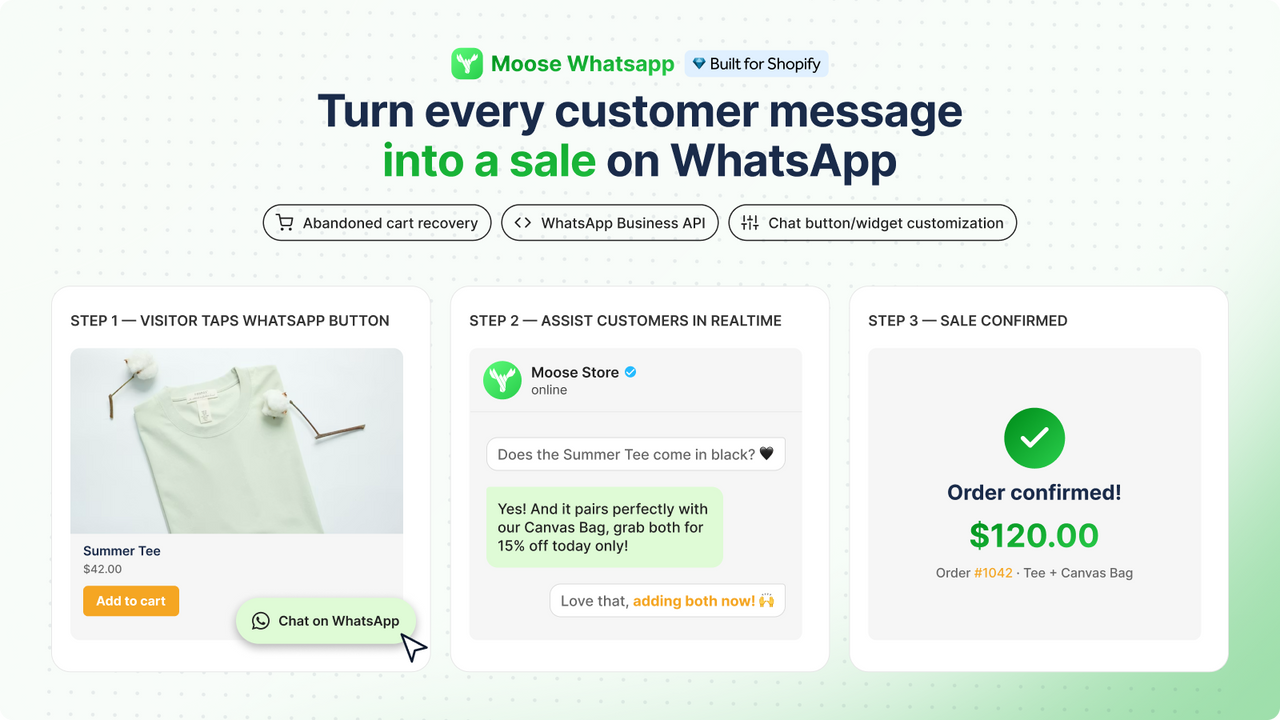
Moose WhatsApp Chat Button simplifies customer communication by allowing merchants to integrate a WhatsApp chat feature directly into their online stores. It streamlines interactions with customers, enabling real-time responses to inquiries, which can significantly reduce abandoned carts and increase sales. The app connects securely to WhatsApp Business API, allowing merchants to manage messages efficiently through segmentation and prioritization. Furthermore, it helps in marketing through automated reminders for abandoned carts, ensuring merchants can maximize their revenue.
Pros
- Easy 2-click installation to enhance customer interaction.
- Real-time support increases conversion rates significantly.
- Abandoned cart reminders help recover lost sales.
- Customizable chat features align with branding perfectly.
Cons & limitations
- Limited to WhatsApp integration may not suit all merchant communication preferences.
- Single staff seat may restrict larger teams from managing customer inquiries effectively.
Features
- Integrates WhatsApp Business API
- Abandoned cart reminders
- Customer message segmentation
- Real-time message management
- Customizable chat button styles
What you can do with Moose WhatsApp Chat Button
Abandoned Cart Recovery
Send automated WhatsApp reminders to shoppers who leave items in their carts, encouraging them to complete their purchases.
Real-time Support
Manage and respond to customer inquiries instantly through WhatsApp, enhancing the shopping experience and improving service quality.
Customization
Adjust the look and feel of the chat button to maintain brand aesthetics, ensuring seamless user experience across devices.
Setup & day-to-day use
- Add the app through the Shopify App Store.
- Connect your WhatsApp number via Meta Business Manager.
Supported integrations
- WhatsApp Business API
- Meta Business Manager
Questions about Moose WhatsApp Chat Button
Is there a free trial?
No, the app is completely free to use.
How many staff can use this app?
The app supports a single staff seat.
Can I customize the chat button?
Yes, you can tailor the button's styles to match your brand.
Does the app integrate with analytics?
Yes, you can track WhatsApp button clicks using Google Analytics.
What type of messages can I automate?
You can automate reminders for abandoned carts and other customer messages.
Compare pricing plans
| Plan | Monthly | Annual | Limits & charges |
|---|---|---|---|
| Free | Free | Not documented | Free plan |
Changes in our research
Differences between saved listing checks. A newly recorded detail can reflect better research rather than a product change.
Checked 4 Nov 2026
- Plan amounts
- Previously: Free Plan: USD; monthly 0; annual not documentedNow: Free: USD; monthly 0; annual not documented
- Listed features
- Previously: Abandoned cart recovery reminders; Real-time message management; WhatsApp Business API integration; Customization options for button appearance; Track button clicks via Google AnalyticsNow: Integrates WhatsApp Business API; Abandoned cart reminders; Customer message segmentation; Real-time message management; Customizable chat button styles
- Listed integrations
- Previously: WhatsApp Business API via Meta Business ManagerNow: WhatsApp Business API, Meta Business Manager
Checked 1 Nov 2026
- Listed features
- Previously: Add a WhatsApp button in two clicks; Manage chats within the app; Segment customer messages; Send abandoned cart reminders; Customize button styles and visibilityNow: Abandoned cart recovery reminders; Real-time message management; WhatsApp Business API integration; Customization options for button appearance; Track button clicks via Google Analytics
- Listed integrations
- Previously: Meta Business Manager, Google AnalyticsNow: WhatsApp Business API via Meta Business Manager
Checked 31 Oct 2026
- Pricing summary
- Previously: Free — $0/month, $0/yearNow: Free
- Listed features
- Previously: WhatsApp chat button added in two clicks; All-in-one inbox for conversations; Abandoned cart reminder messages; WhatsApp Business API connection; Button-click tracking in analytics; Brand styling for icons and visibilityNow: Add a WhatsApp button in two clicks; Manage chats within the app; Segment customer messages; Send abandoned cart reminders; Customize button styles and visibility
- Listed integrations
- Previously: Checkout, Shopify Admin, Meta Business Manager, Google Analytics, Meta PixelsNow: Meta Business Manager, Google Analytics