

Is Account Form Fields right for your store?
Account Form Fields is excellent for businesses needing detailed customer data, but it may not suit those needing more complex forms without upgrading.
- Choose it if
- You want to collect specific customer information beyond checkout.
- Standout capability
- Custom fields help gather additional customer data, enhancing personalization efforts.
- Consider another approach if
- You require unlimited forms or advanced support usually not available in the free plan.
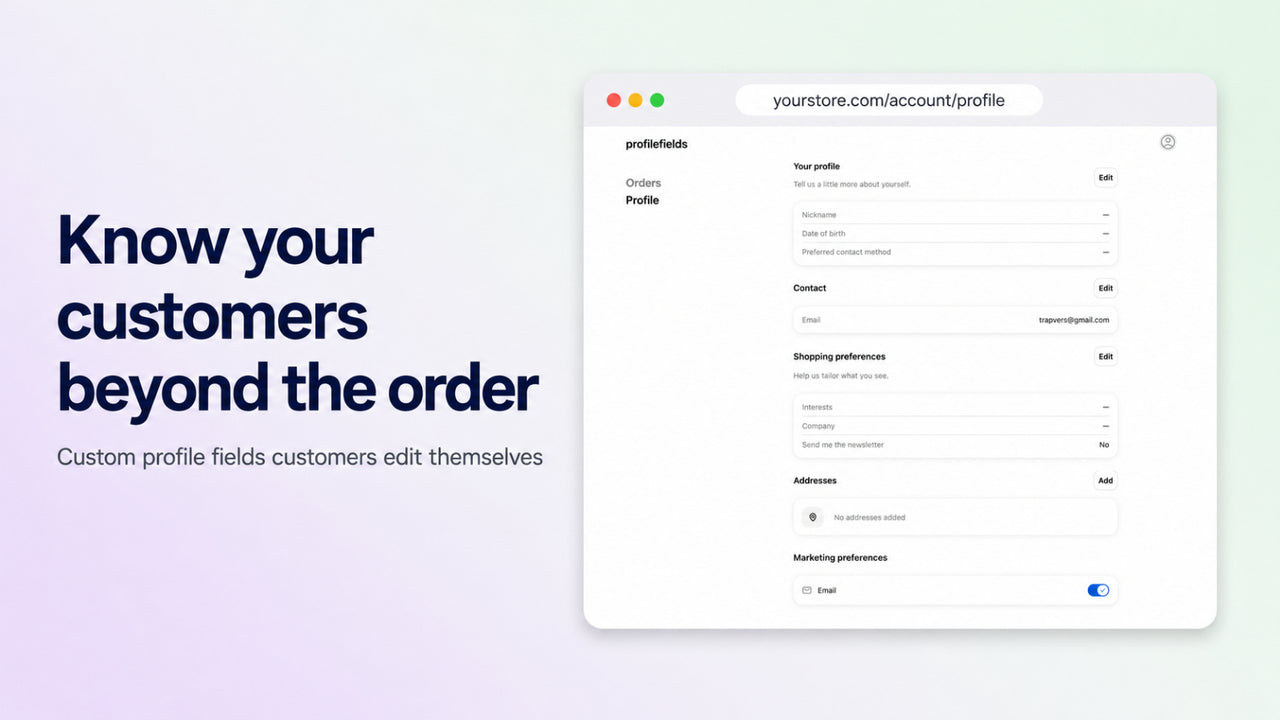
Account Form Fields allows Shopify merchants to create customizable account profile forms for customers, enabling them to manage their own details effectively. The app lets users design forms using various field types, including text, dropdowns, and checkboxes, and integrate these directly into customer account pages. This means merchants can collect crucial customer data that traditional checkout processes overlook, such as specific preferences or additional contact information. Every entry is stored as a customer metafield, which can then be utilized in segmentation, personalization, and automation through Shopify Flow. The app also includes a dashboard to monitor form interactions, ensuring merchants can analyze how information is collected and shared.
Pros
- Custom fields help gather additional customer data, enhancing personalization efforts.
- Every customer input is stored as a metafield, usable for segmentation and automation.
- The dashboard allows tracking of form views and submissions for better insights.
Cons & limitations
- The Free plan is limited to 3 fields per form, which may not be adequate for more complex data collection needs.
- To access unlimited forms and fields, merchants must upgrade to the Pro plan at $12/month, which may be a constraint for smaller businesses.
Features
- Customizable account profile forms
- Multiple field types available
- Customer metafields for personalization
- Inline or modal form display
- Draft mode for privacy
What you can do with Account Form Fields
Custom Form Creation
Create tailored forms using various field types to collect customer data.
Customer Data Management
Customers can update their information directly, ensuring accuracy.
Data Utilization
Stored responses can be leveraged for targeted marketing and personalized experiences.
Performance Tracking
Monitor form submissions and views to evaluate customer engagement.
Pricing & plan limits
- Email support provided for all plans.
Setup & day-to-day use
- Install the app via the Shopify App Store
- Follow onboarding instructions to create your first form
Supported integrations
- Shopify Flow
Questions about Account Form Fields
What types of fields can I add to forms?
You can add text, dropdown, multi-choice, date, number, phone, and checkbox fields.
How many forms can I create with the Free plan?
The Free plan allows for 1 form and up to 3 fields per form.
Is there a way to track form submissions?
Yes, the dashboard provides insights into form views and submissions.
What is the billing cycle for the Pro plan?
The Pro plan is billed monthly or annually, with a discount available for annual payments.
Can drafts be saved before publishing?
Yes, drafts remain hidden until they are published.
Compare pricing plans
| Plan | Monthly | Annual | Limits & charges |
|---|---|---|---|
| Free | Free | Not documented | monthly
|
| Pro | USD 12 | USD 97Save USD 47/year | monthly
|
Savings compare one annual payment with 12 monthly payments for the same plan. Usage charges and taxes are additional where applicable.
Changes in our research
Differences between saved listing checks. A newly recorded detail can reflect better research rather than a product change.
Checked 1 Nov 2026
- Pricing summary
- Previously: Free plan available; Pro $12/month or $97/yearNow: Free plan available, Pro $12/month
- Listed features
- Previously: Build custom profile forms; Collect detailed customer data; Store customer responses as metafields; View form submissions analytics; Hide drafts until publishingNow: Customizable account profile forms; Multiple field types available; Customer metafields for personalization; Inline or modal form display; Draft mode for privacy